AI harness · Agentic orchestration · Self-hosted

Your AI harness,
on your terms.

Kaptain is an agentic orchestration platform that runs on your machine. Edit and debug workflows with Deview, trace every decision with BlackBox Traces, and see your entire codebase at a glance with God's Eye View.

Then CA$4.99/month — includes Konnect Pro and Konvertex Pro at no extra cost.

Works with Claude Code OpenAI Codex Ollama llama.cpp / GGUF Any OpenAI-compatible API Linux · macOS · Windows
// CORE CAPABILITIES

Four lenses on your workflow.

Most agent platforms hand you a chat box. Kaptain gives you the surfaces an actual developer needs — to edit, to orchestrate, to debug, and to see structure.

01 · Deview

Edit. View. Debug.

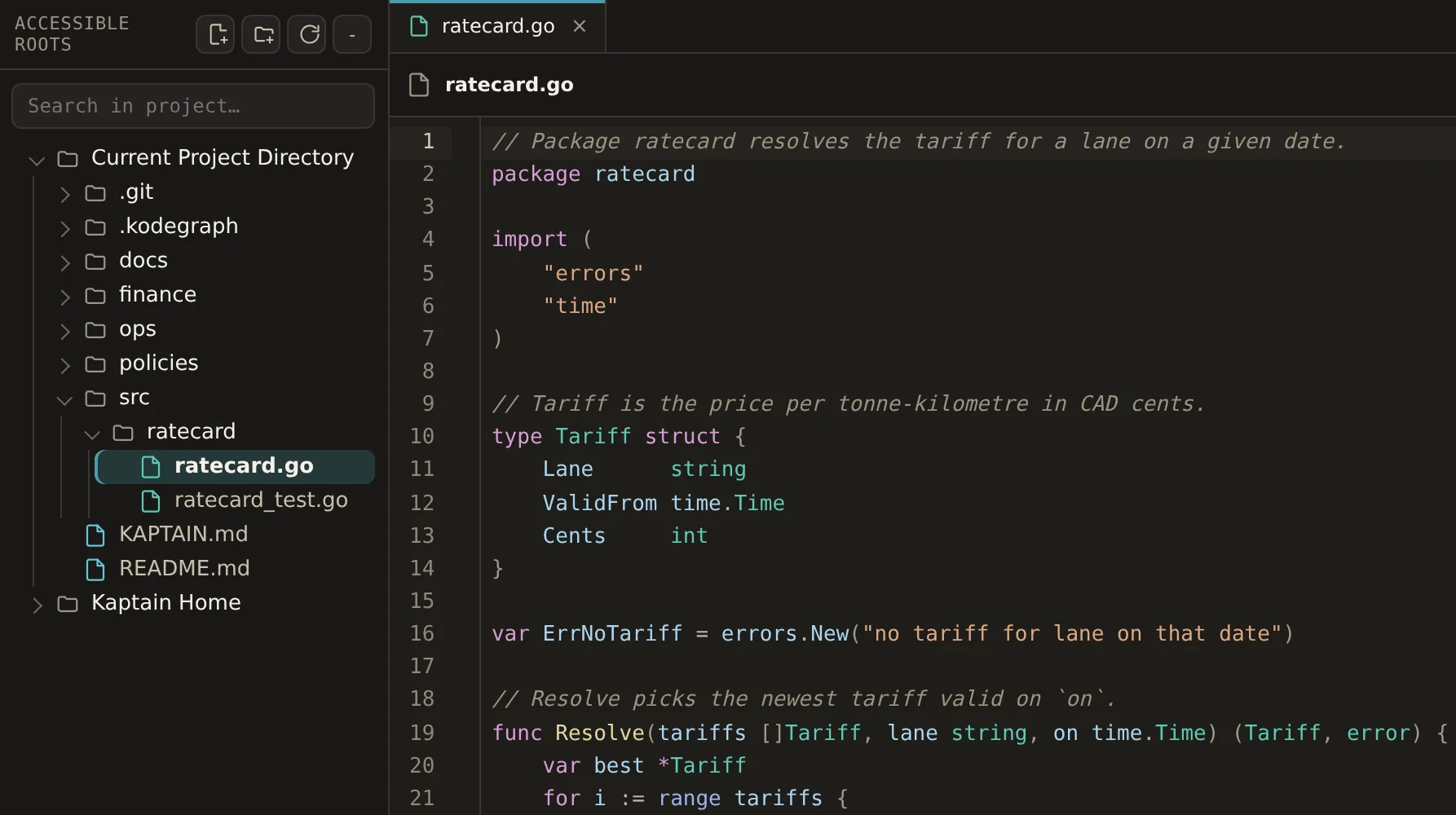
In-app editor for agent prompts, tool configs, and runtime files. Inspect what's loaded, change it, re-run — without context-switching to a separate IDE.

02 · Task Flow

End-to-end orchestration view

See the entire task graph: which agent owns what, what's queued, what's waiting on approval, what's blocked. The whole pipeline, one screen.

03 · BlackBox Traces

Every query, fully traced

Model used, context loaded, tools called, time per step, decisions made. Debug agent behavior the way you'd debug a stack trace.

04 · God's Eye View

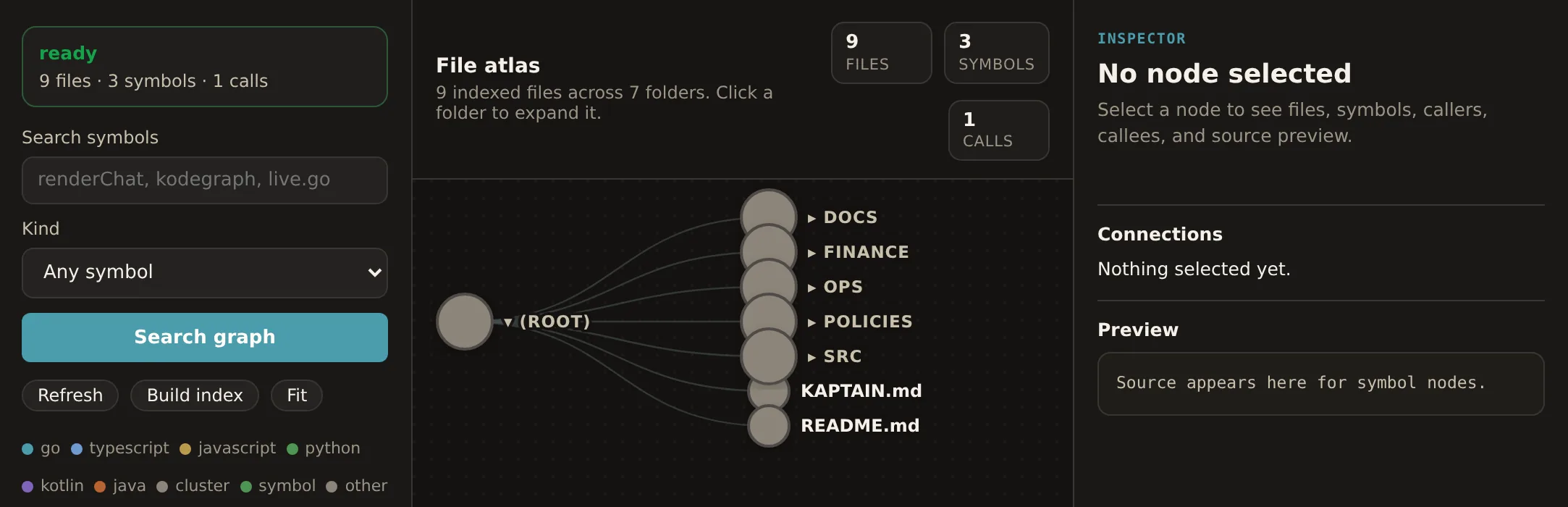
Semantic map of your code

Your folders, files, symbols, and connections at a glance. Powered by a code graph — your agents understand structure before they touch a line.

// DEVIEW

Edit, view, debug.
One surface.

Most agent stacks force you to swap between a chat window, an editor, and a logs tab. Deview puts all three in one workspace — so you can adjust a prompt, see what file the agent was reading, and re-run the task without losing your place.

  • Full-access terminal for power users
  • Inline edit of agent configs and prompts
  • Live re-run after any change
deview · agent.yaml
1# Kaptain agent config
2name: "primary-router"
3model: "claude-opus-4-7"
4thinking: "high"
5tools:
6 - codegraph_explore
7 - shell_exec
8 - file_edit
9approval:
10 on: ["shell_exec", "file_edit"]
// BLACKBOX TRACES

Every query.
Fully accounted for.

For every prompt you fire, Kaptain records the model used, the context loaded, the tools called, the time per step, and the decisions made along the way. Debug agent behavior the way you'd debug code — not by re-running and hoping.

trace · query #1842
load context0.18s
codegraph0.31s
model call2.14s
tool: shell0.42s
file write0.09s
verify0.21s
// GOD'S EYE VIEW

Your codebase.
One glance.

A semantic graph of your entire project — files, symbols, callers, callees. Your agents understand structure before they touch a line. You see what's connected to what before you approve a change.

  • Find any symbol, callers, callees instantly
  • See impact-radius before editing
  • Auto-sync on every file change
god's eye · server/kaptain
core.py api.py runner.py sessions tool_loop
// REMOTE ACCESS

Your machine,
reachable from anywhere.

Kaptain runs on your hardware — but your hardware doesn't have to be in front of you. We strongly recommend pairing Kaptain with Tailscale, a zero-config WireGuard mesh that gives every device on your tailnet a stable private IP. No port forwarding, no public exposure, no DNS gymnastics.

Once Kaptain is on your tailnet, the CHYNJ Android app and any browser on any of your devices can reach it at http://100.x.x.x:8888. Work from your phone on a train. Push a long-running task before bed and check the result from a café. Share files, screenshots, and prompts straight from your phone — your progress doesn’t stop because you stepped away from your desk.

  • Free for personal use (Tailscale Personal Plan)
  • Works on Linux, macOS, Windows, iOS, Android
  • End-to-end encrypted — no traffic through anyone’s cloud
  • Push files, screenshots, and prompts from your phone in real time
phone → tailnet → kaptain
1# From the CHYNJ phone app
2connect: "http://100.69.64.106:8888"
3auth: "<your-kaptain-token>"
4
5# Drop a screenshot to the active agent
6> attach("bug.png")
7> "Diagnose this stack trace, then apply the fix."
8
9✓ Agent queued · trace #2104
10 Notify when done → push notification
// GET STARTED

Install to running agents.
Under five minutes.

STEP 01

Install Kaptain

Single binary for Linux, macOS, or Windows. The 3-day trial starts automatically — no credit card.

STEP 02

Connect your providers

Bring your own Claude Code or Codex CLI, point at a local Ollama, or wire up any cloud API. Mix per task.

STEP 03

Open Deview, see God's Eye

Kaptain indexes your codebase and exposes the semantic graph. Browse it. Edit configs. Spin up an agent.

STEP 04

Run, trace, ship

Send tasks. Watch every step in BlackBox Traces. Approve sensitive actions. Schedule recurring jobs. Walk away.

// PRICING

One subscription.
Three products inside.

Free for 3 days. Then CA$4.99/month — which also unlocks Konnect Pro and Konvertex Pro at no extra cost.

Free Trial
CA$0/ 3 days

No credit card required

Full access to every Kaptain feature for 72 hours.

  • Deview, BlackBox Traces, God's Eye
  • All providers (Claude, Codex, local, cloud)
  • Unlimited tasks and agents
  • Approval workflows
Install — 3 days free
Enterprise
Per-seat
licensing

Scales with your team

For teams and orgs. Volume pricing, SSO, dedicated support.

  • Everything in Pro
  • Multi-user deployment
  • Dedicated support contact
  • SSO and custom integrations
Contact sales

See what your agents are actually doing.

3 days free. No credit card. Then one subscription gets you Kaptain, Konnect Pro, and Konvertex Pro.

Get Kaptain — Free trial